(8) Cybersecurity Posts from 2025 on Morefield Resources Page

(8) Cybersecurity Posts from 2025 on Morefield Resources Page

October cybersecurity awarness month

October marks Cybersecurity Awareness Month, a crucial time to reflect on the ever-evolving digital threats facing businesses and employees alike. As we navigate through 2025, cybersecurity has become more critical than ever, with organizations racing to stay ahead of sophisticated attacks and tightening regulatory requirements. 

This year, Morefield was busy adding cybersecurity content to our resources page on the website.  As everyone enjoys an ordered list, to kick off cybersecurity awareness month, we decided to incorporate our most-read Cybersecurity themed articles from 2025.  Covering essential topics that resonate across industries: from understanding Threat Exposure Management (TEM) and the transformative benefits of Managed Detection and Response (MDR) for cyber insurance compliance, to exploring how Managed GRC services are revolutionizing security for credit unions. 

1. Innovative Solutions to IOT Device Security

IOT Cybersecurity


As IoT devices multiply in our homes and workplaces, so do the security vulnerabilities that put our data at risk. From AI-powered threat detection to blockchain verification and edge computing, innovative technologies are emerging to combat common IoT weaknesses like default passwords, outdated software, and unencrypted data. Learn practical steps you can take today to secure your connected devices and discover what the future holds for IoT security.  https://morefield.com/blog/innovative-solutions-to-iot-device-security/

2.How Password Managers Protect Your Accounts

Password management

Struggling to remember dozens of complex passwords or guilty of reusing the same one across multiple accounts? Password managers eliminate these security risks by generating and storing unique, strong passwords for every account while requiring you to remember just one master password. Discover how this simple tool can dramatically strengthen your online security and save you time in the process.  https://morefield.com/blog/how-password-managers-protect-your-accounts/ 

3.What is Threat Exposure Management TEM

Threat Exposure management meeting

Waiting for hackers to strike before addressing vulnerabilities is a losing strategy—that’s where Threat Exposure Management (TEM) comes in. This proactive cybersecurity approach continuously scans your network to identify and prioritize weak spots before attackers can exploit them, helping you stay one step ahead of evolving cyber threats. Discover how TEM can strengthen your security posture, save you money on breach recovery, and give you peace of mind.  https://morefield.com/blog/what-is-threat-exposure-management-tem/

4.How is Your Cyber Hygiene: Essential Tips for 2025

Cyber Hygiene

Just like brushing your teeth keeps your smile healthy, practicing good cyber hygiene keeps your digital life safe from hackers and threats. From creating stronger passwords and enabling two-factor authentication to avoiding public Wi-Fi pitfalls and spotting phishing scams, simple daily habits can dramatically reduce your risk online. Learn essential tips that will protect your devices, data, and employees in an increasingly dangerous digital landscape.  https://morefield.com/blog/how-is-your-cyber-hygiene-essential-tips-for-2025/

5.Cloud Disaster Recovery Ensuring Business Continuity

Cloud disaster recovery


When disaster strikes—whether it’s a cyberattack, hardware failure, or natural catastrophe—having your critical data backed up in the cloud could mean the difference between recovering quickly and closing your doors permanently. Cloud Disaster Recovery as a Service (DRaaS) provides off-site backup solutions that enable businesses to restore IT infrastructure and operations rapidly after disruptive events. Discover how to choose the right cloud disaster recovery provider and implement a strategy that ensures business continuity, no matter what challenges come your way.  https://morefield.com/blog/cloud-disaster-recovery-ensuring-business-continuity/

6.GRC Platforms vs Spreadsheets When to Upgrade Your Compliance Management

GRC platforms

If your compliance team is drowning in spreadsheets, chasing version control issues, and scrambling to prepare for audits, it’s time to recognize that manual tracking can’t keep pace with today’s regulatory complexity. Spreadsheets lack real-time collaboration, reliable audit trails, and the scalability needed as your organization grows—gaps that introduce unnecessary risk through human error and missed deadlines. Discover the key indicators that signal it’s time to upgrade to a purpose-built GRC platform that centralizes oversight, automates repetitive tasks, and gives you the confidence to stay ahead of compliance demands.  https://morefield.com/blog/grc-platforms-vs-spreadsheets-when-to-upgrade-your-compliance-management/

7.How MDR Helps You Meet Cyber Liability Insurance Requirements

MDR cybersecurity liability

As cyber insurance carriers tighten requirements and increase exclusions, businesses are discovering that traditional security measures alone won’t guarantee coverage—or payouts when breaches occur. Managed Detection and Response (MDR) services provide the 24/7 monitoring, incident response capabilities, and detailed audit trails that insurers demand; while also helping you meet compliance standards like NIST and CIS Controls. Learn how investing in MDR not only strengthens your security posture but also makes meeting insurance requirements easier, especially for small to medium businesses working with limited resources.  https://morefield.com/blog/how-mdr-helps-you-meet-cyber-liability-insurance-requirements/

8.The Benefits of Managed Governance Risk and Compliance GRC for Credit Unions

Annual vulnerability scans may check the compliance box, but they leave credit unions exposed to threats for months at a time—a gap one institution closed by switching to Morefield’s Managed GRC program. With monthly credentialed assessments, this credit union immediately discovered a critical vulnerability that had been incompletely patched years earlier, preventing a potential breach. Discover how proactive Managed GRC services can transform your security posture, streamline compliance, and reduce operational burden while delivering predictable costs.  https://morefield.com/blog/the-benefits-of-managed-governance-risk-and-compliance-grc-for-credit-unions/

Whether you’re looking to strengthen password management, implement cloud disaster recovery strategies, or simply understand the fundamentals of protecting your digital assets, this collection of articles reflects the cybersecurity challenges and solutions that have headlined 2025. This Cybersecurity Awareness Month, we invite you to revisit these insights and take actionable steps toward building a more resilient security posture for your organization.

Budgeting for IT Expenditures: Adaptable Practices for Your Business

business leader looking to budget

As the third quarter is closing and the final stretch of the year approaches, many business leaders find themselves focused on wrapping up projects, meeting revenue goals, and preparing for a strong year-end finish. Yet, this season is also one of the best times to pause, step back from the daily grind, and plan for the new year ahead.

For technology leaders, that means not only setting goals for 2026 but also creating a thoughtful budget that outlines planned investments and forecasts operational expenses. Whether you’re new to the process, want to benchmark your practices against peers, or simply need fresh ideas to refine your budgeting approach, this guide will help you shape a practical, forward-looking IT budget.

Where to Start: Reflect Before Putting Pen to Paper

The budgeting process begins with reflection. Take a close look at your 2025 budget and evaluate how it has performed year to date. Are you ahead of plan or trailing behind? Have certain assumptions proven inaccurate? Were there unexpected gaps or oversights that disrupted execution?

An honest clear-eyed review of the existing budget offers two benefits: 1) it highlights lessons learned and 2) provides a solid baseline for forecasting the year ahead. Without this checkpoint, you risk repeating mistakes or overlooking important variables that will affect your 2026 financial planning.

Subscription Review: Managing Recurring Technology Costs

The technology sector has largely shifted to an “as-a-service” model, where solutions are delivered through recurring subscriptions. While this can simplify deployment and provide predictable costs, it also demands careful oversight.

Start by identifying all subscription agreements across your organization. Which are due for renewal in 2026, and what are the terms? Do they auto-renew, or do you need to provide written notification to terminate? These details matter, as missed deadlines can lock you into contracts that no longer meet your needs.

Equally important is evaluating vendor performance. Has the provider delivered on their promises? Are service levels satisfactory, or are you fielding frequent complaints about poor performance, lack of bandwidth, or unexpected overages? When renewals approach, consider whether to extend, renegotiate, or switch to a superior solution.

Subscription management is not just about cost control—it’s about aligning services with business needs and ensuring the right scale and quality for your operations.

Lifecycle Review: Planning for Hardware and Infrastructure

Even in an era of cloud services, businesses still rely heavily on the infrastructure within the premises. And unlike subscription models, hardware comes with finite lifecycles.

  • Endpoints (smartphones, tablets, laptops, desktops): Typically, 3 years
  • Servers | Storage: Around 5 years
  • Network (routers, switches, access-points): 7 years
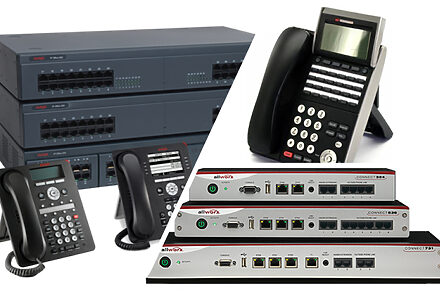
  • Premises telephone systems: 8–10 years

IT equipment Lifespans

Understanding where each piece of equipment stands in its lifecycle helps you anticipate replacement needs, avoid sudden failures, and maintain warranty coverage. Keep track of critical milestones such as “end of sale,” “end of support,” and “end of life” notices, since these directly affect security, compliance, and reliability.

Don’t forget building systems often outside IT’s direct oversight—such as access control, HVAC, smart lighting, and surveillance. These depend on hardware that is often “set it and forget it” until something fails. Budgeting for proactive upgrades here can prevent costly downtime later.

Cybersecurity: Staying Ahead of an Arms Race

Cybersecurity planning deserves its own budget category. Unlike other IT investments with predictable timelines, security operates in a constantly shifting landscape. Cybercriminals are relentless in developing new tactics, while defenders continuously innovate to counter them.

This arms race means organizations must regularly evaluate whether their security posture is sufficient. Are there emerging threats your current tools don’t cover? Are there new technologies—like advanced endpoint protection, zero trust architectures, identity services or managed detection and response services—that should be added to your defense?

Budgeting for cybersecurity is not a one-time line item; it’s an ongoing commitment to strengthening your resilience against evolving threats.

Tools That Make Budgeting Easier

A range of tools can simplify the budgeting process by giving you better visibility into your environment and upcoming needs:

  • Warranty Management Tools to track coverage and expirations
  • Remote Monitoring and Management (RMM) software for proactive oversight
  • Manufacturer purchase history databases for lifecycle tracking
  • Migration path documentation that outlines what’s next for specific platforms
  • Cybersecurity assessments to identify gaps and prioritize investments
  • Automated infrastructure inventory scans to catalog assets
  • Wi-Fi surveys to pinpoint performance issues and capacity needs

Leveraging these tools ensures your budget is based on accurate data rather than guesswork.

Best Practices for Building a Sustainable IT Budget

Budgeting is not just about numbers on a spreadsheet—it’s about creating a framework that aligns IT investments with business priorities while minimizing surprises. Here are some suggested best practices:

  1. Offset Hardware Refresh Cycles

Instead of replacing all hardware in large, costly waves, spread refreshes across multiple years. For example, replace one-third of your equipment annually or less aggressive 20–25% each year. This interval approach smooths expenses into predictable recurring investments, reduces the shock of large capital expenditures, and ensures your environment stays current and under warranty | support.

  1. Review Cybersecurity Insurance Policies

Insurance providers increasingly require proof of robust security controls. As you renew policies, identify areas where your current posture may be seen as a liability. Completing those projects not only strengthens your security but also reduces your premiums, turning risk mitigation into a cost-saving opportunity.

  1. Invest in Training

Technology is only as effective as the people using it. Too often, employees use a fraction of the extensive feature sets available in business applications. Allocating funds for end-user training—both for new technologies and for deeper adoption of existing platforms—helps maximize return on your IT investments.

  1. Build in Flexibility for the Unexpected

Even the best-planned budgets face surprises. Pricing changes, vendor-driven adjustments, integration challenges, and interoperability issues can all increase costs. A good rule of thumb is to allocate an additional 15–20% for contingencies. This cushion allows you to absorb unexpected expenses without derailing other initiatives.

employee tech training

Looking Ahead: IT as a Strategic Enabler

Budgeting for IT expenditures should not be seen as a reactive, tactical chore. Instead, it is an opportunity to align technology with organizational goals, optimize operations, and prepare for the future.

By reflecting on past performance, managing recurring subscriptions, tracking infrastructure lifecycles, prioritizing cybersecurity, and following budgeting best practices, organizations can create sustainable, forward-looking budgets that keep them agile and competitive.

As 2026 approaches, technology leaders who plan proactively will be better equipped to support growth, manage risk, and deliver value across the business. The key is not simply to “set the budget” but to treat it as a living framework—one that adapts to changes in technology, business needs, and the broader security landscape.

VMware Migrations Ahead: What Broadcom’s Changes Mean for Your Business

vmware changes

For more than a decade, VMware has been a foundational technology in IT environments across industries. From datacenter virtualization to telephone systems, surveillance, and access control, VMware has been the engine behind the hypervisor layer that makes enterprise workloads efficient and manageable.

But with Broadcom’s acquisition of VMware, major changes are shaking up this ecosystem. The shifts in licensing, partner programs, and pricing will have wide-reaching consequences for SMB and midmarket organizations. At Morefield, we believe it’s critical for businesses to understand what’s happening, why it matters, and what options exist moving forward.

The Broadcom Effect: A Disrupted VMware Landscape

Broadcom has wasted no time restructuring VMware’s go-to-market model. The most visible changes include:

  • Partner Program Shakeup – Broadcom has eliminated the lowest tier of the VMware Advantage Partner Program, consolidating from (4) to (3) tiers. This means fewer authorized resellers and higher costs for those who remain. To maintain authorization, partners face tougher requirements: expert services capabilities, dedicated sales & technical resources, and joint business planning with Broadcom.
  • Distributor Breakup – Broadcom severed ties with Ingram Micro, one of the largest IT distributors worldwide. This move impacts 1,500 resellers who collectively supported over 160,000 customers.
  • Licensing Model Overhaul – Perpetual licenses are being retired in favor of subscription-based models. While subscription can bring flexibility, many customers are experiencing higher ongoing costs compared to their prior perpetual investments.
  • Rising Prices – VMware licensing fees are going up, adding new strain on IT budgets.
  • License Portability – Broadcom has introduced a License Portability entitlement for VMware Cloud Foundation (VCF). This feature empowers customers to deploy and run workloads more flexibly across environments, but it comes with complexity and cost.

Taken together, these changes create disruption for organizations that have long relied on VMware as a stable, predictable hypervisor.

An Overreliance on Hypervisors: How We Got Here

To understand why Broadcom’s changes matter so much, it helps to look back at how hypervisors became so deeply embedded in enterprise IT.

In the early days of client-server computing, application vendors demanded dedicated compute, memory, and storage to ensure consistent performance. Without hypervisors, IT leaders had only one choice: dedicate an entire physical server, operating system, and storage stack to each application.

The result? Datacenters filled with racks of underutilized servers, each running a single workload.

Then came hypervisors. With virtualization, IT teams could configure virtual images that mimicked dedicated environments but consolidated them onto fewer physical servers. The efficiency gains were enormous: fewer boxes to buy, power, cool, and manage, with the flexibility to scale resources as needed.

This virtualization strategy was so successful that it spread everywhere:

  • File storage | domain controller | print server
  • Line-of-business applications
  • Voice and telephone systems
  • Building Management such as surveillance & access control

Today, hypervisors like VMware are not just part of the IT stack—they are the IT stack for many organizations. That deep reliance is what makes Broadcom’s changes so disruptive.

Morefield: Losing VMware Resale Authorization, Retaining Expertise

Morefield has designed, installed, and supported VMware environments since 2012. For more than 13 years, our technical expertise has helped businesses build reliable, secure, and high-performing datacenters.

But with Broadcom’s new partner program requirements and the elimination of lower-tier partnerships, Morefield will no longer maintain resale authorization for VMware.

Here’s what that means for our clients:

Support Continues – Our team’s VMware expertise is unchanged. We will continue to support VMware environments for our managed services clients and those running on-premises datacenters.

Collaboration with Premier Partners – Through partnerships with authorized resellers at higher tiers, we can still acquire VMware maintenance and support for our clients.

Client Commitment – Our focus remains steady: to deliver the best possible support, guidance, and solutions for our clients—even as the vendor landscape shifts.

Walking Away from VMware: Options You Should Consider

As organizations assess their VMware environments, many will be forced to decide whether to stay the course or explore alternatives. Here are (4) strategic paths to consider:

  1. Stay the Course with your private Datacenter

Businesses may choose to remain with VMware, but it’s essential to evaluate total costs. Beyond licensing, factor in the lifecycle of compute and storage hardware, extended warranties, and the long-term sustainability of VMware as a platform under Broadcom’s stewardship.

If a revirtualization project is on the horizon, consider bundling it with new datacenter hardware to maximize ROI and simplify the project, allowing for image migrations, one at a time.  New hardware hosts the new hypervisor whilst the VMware environment remains on existing hardware.  This approach also ensures backup routines continue in parallel and business continuity plans are not impacted.  

  1. Explore Hosted Infrastructure (IaaS)

Migrating workloads to Infrastructure as a Service (IaaS) provides relief from hardware lifecycle management. Morefield has partnered with datacenter operators such as TierPoint, Expedient, and 11:11 Systems to help clients successfully shift workloads to hosted environments.

This approach often reduces capital expenditures for hardware refresh, shifts management responsibility of the environment to the Operator and provides scalable, consumption-based pricing.

  1. Devirtualize Smaller Environments

For smaller, converged environments, devirtualization may be a viable option. This involves migrating applications from a hypervisor host back to a physical server environment. With dedicated hardware, operating systems, and management tools, devirtualization can simplify operations and reduce licensing costs.

  1. Migrate to SaaS Solutions

With the dominance of subscription models today, many application vendors now offer Software as a Service (SaaS) alternatives. Instead of managing licenses, servers, and infrastructure, organizations can subscribe to SaaS offerings that deliver applications directly over the cloud.

This is particularly effective for line-of-business applications where vendors are investing heavily in cloud-native experiences.

options for VMware migrations

Why These Decisions Matter

VMware’s dominance in the hypervisor market means these changes won’t just affect large enterprises—they will impact SMB and midmarket organizations across industries.

Here’s why:

Market Impact – VMware has the largest share of hypervisor deployments. Industry analysts project that more than one-third of VMware workloads will migrate to alternate technologies by 2028.

Licensing Risks – Many older VMware licenses were perpetual. Without active support or upgrades, these environments risk falling behind, leaving organizations exposed to vulnerabilities and compliance gaps.

Critical Applications Depend on VMware – From premise telephone systems to building management (HVAC, surveillance, access control), many non-IT systems were built on VMware. As these environments age without updates, the risk of cyberattacks grows.

Financial Strain – The combination of rising VMware prices and hardware refresh cycles creates real budgetary challenges for leadership teams.

Simply put VMware is no longer the straightforward, value driven investment it once was. Businesses must reevaluate their strategies now to avoid being caught off guard later.

Morefield as Your Expert Datacenter Partner

At Morefield, we see this moment as both a challenge and an opportunity. Our team combines more than a decade of hypervisor experience with broad expertise across datacenter, cloud, and SaaS solutions. Whether you choose to maintain VMware, shift to hosted infrastructure, devirtualize, or embrace SaaS, we can guide you every step of the way.

The VMware landscape may be changing, but your business doesn’t have to navigate it alone.

If your organization is evaluating the future of its VMware environment, contact Morefield today. Let’s assess your options, build a roadmap, and ensure your technology investments continue to deliver value—no matter where Broadcom takes VMware.

Beyond the Ticket: Measuring the Real Value of a Strategic IT Partnership

IT helpdesk ticket

In a previous article, we explored the benefits of an All-Inclusive Seat Price (AISP) compared to simply purchasing a block of hours for IT support. One of the central takeaways was that reviewing a monthly statement of applied hours against closed tickets is not a sufficient way to measure your IT vendor’s performance.

When technology is truly strategic to an organization, success goes far beyond closing tickets quickly or staying within a set number of billable hours. The reality is simple: if your employees can’t rely on IT systems to perform their jobs effectively, what difference does it make if your IT vendor used 23½ of their 24 hours last month?

However, extracting the value of an AISP agreement is not a straightforward accounting exercise. These agreements are designed to be holistic. They provide access to technical expertise; embed tools for the environment and automate services that run quietly in the background.  Proven processes that update systems, monitor performance, manage backups, and send alerts when issues arise. In other words, an AISP is built not only to fix problems but also to prevent them.

To better understand why this distinction matters, let’s look at a simple analogy.

Building a Deck: Transactional vs. Strategic

Imagine you’ve decided to build a deck onto your home. You begin by taking measurements, browsing photos of other projects, and researching the cost of materials—decking, railings, fasteners, lighting, and so on. You find a handyman who has built decks before, and he estimates the job will take 50 to 60 hours.

You order the materials, the handyman gets to work, and after a few weeks, you have a deck.

From a purely transactional standpoint, this project seems straightforward: you have receipts for the materials, an invoice for the hours of labor, and a finished deck. But here’s the question: did you really achieve the complete vision for your home?

Does the new deck exceed your family’s expectations? Does it provide the perfect space for entertaining friends on weekends, or a peaceful place to relax after work? Or does it simply exist—built to a minimum standard, without much thought about design, durability, or long-term enjoyment?

This is the difference between a transactional project and a strategic one.

IT Support: More Than Just a Block of Hours

In the same way, IT support can be highly transactional. Value focused vendors will offer to sell blocks of hours for monthly support. They’ll recommend a list of tools and services to purchase for management of the environment.  At the end of the month, you’ll have statements of work done with invoices that you can easily tally up.

But here’s the catch: do these invoices reflect the real value the vendor is bringing to your business? Does the approach give you confidence that the technology used strategically optimizes operations and supports continued growth? Or are you just “checking a box” by paying for the minimum needed to keep systems running?

Business leaders looking to distinguish themselves in the marketplace recognize the answer lies in how IT is positioned. If technology is simply a cost to be managed, a block of hours may feel adequate. But if technology is strategic—if it directly impacts productivity, security, and your ability to serve customers—then a deeper partnership is required.

The Right Questions to Ask

If your IT provider is only selling you their time with tools, would you feel confident asking questions like these?

  • How often are we reacting to incidents versus preventing them?
  • Who manages our daily backups—and how do we know they’re working?
  • What role does the IT vendor play in our business continuity plan?
  • If our primary line-of-business application went down, what happens next?
  • How much would a cybersecurity breach cost us, and are we doing enough to mitigate the risk?
  • What challenges are we facing as a business right now, and how can technology help solve them?

These questions don’t just focus on transactions. They reflect a bigger picture of how IT enables your organization to function, grow, and remain competitive. An hourly vendor may struggle to provide meaningful answers. A strategic IT partner, on the other hand, makes these conversations part of the ongoing relationship.

Measuring IT Like You Measure Employees

If technology is strategic, then measuring IT performance should look more like evaluating your most critical employees. Think about it: you don’t judge your top performers solely by whether they show up for 40 hours of work each week. You measure them by objectives, results, collaboration, and their contributions to moving the company forward.

The same applies to your IT partner. A strategic vendor shouldn’t just “show up” to close tickets. They should be accountable for outcomes—minimize disruptions, reduce risk, and help your business make smart technology decisions.

Morefield is that Strategic Partner

At Morefield, our Managed Services Program (MSP) is built around this philosophy. We don’t see ourselves as just another vendor tracking hours. We see ourselves as a strategic partner committed to making technology predictable, reliable, and valuable for your employees.

Here’s how we deliver on that commitment:

  • Reduce disruption. We proactively monitor systems, manage backups, and apply updates so your employees spend less time waiting on fixes and more time being productive.
  • Provide actionable insight. Each month, we collect and analyze data from your environment and present it in recurring meetings. This gives you a clear picture of system performance, risks, and opportunities.
  • Collaborate on strategy. We work side by side with your leadership team to align technology with business goals, whether that means improving operations, enhancing security, or planning for growth.
  • Ensure reliability. Our goal is for your employees to trust the tools they use every day, so technology becomes an enabler rather than a distraction.

This approach transforms IT from a line-item expense into a lever for business success.

Moving Beyond the Easy Numbers

The value of IT isn’t found in a monthly invoice or a tally of closed tickets.  Your IT vendor should be measured by the confidence and competitive advantage it brings to your employees and organization.

When you treat technology as strategic, you stop asking, “How many hours did we use last month?” and start asking, “How is IT helping us move forward?”

That shift in perspective is where the real value of a managed services partnership lies.

Time to Consider a New Approach?  Realize the Value of a Strategic IT Vendor

Building a deck with a handyman and a stack of materials might technically work, but it rarely delivers the space you’ve been dreaming of. In the same way, relying on a block of IT hours may keep your systems functional, but it doesn’t deliver the reliability, security, and strategic advantage your business truly needs.

The choice is clear: if you want technology that not only supports but actively drives your organization forward, you need to evolve past the transactional vendor. You need a business partner who understands your goals, anticipates challenges, and works alongside you to optimize your systems.

At Morefield, that’s the promise of our MSP program. We go beyond hours and tickets to provide proactive, strategic, and outcome-driven IT support. The result is a partnership that lessens disruption, ensures reliability, and equips your business to make smart technology decisions every day.


5 Signs Your Business Has Outgrown Its Current IT Support

Technology is the backbone of modern business. When it runs smoothly, your team works efficiently, your data stays secure, and your business can grow without disruption. But when your IT systems start holding you back instead of helping you move forward, it could mean your business is too big for your current IT team.

Recognizing the signs your business needs better IT support early can save you from costly downtime, security breaches and missed growth opportunities.

Wondering when to switch IT support providers? Here are five clear indicators that it’s time to consider a more capable, future-focused IT partner.

1. Frequent IT Outages and Downtime

Every minute your systems are offline, productivity grinds to a halt — and the costs add up quickly. Frequent outages can cause:

  • Missed client deadlines due to inaccessible files or applications.
  • Lost sales opportunities when systems fail during key transactions.
  • Corrupted or lost data from unscheduled interruptions.

While occasional downtime is unavoidable, recurring outages are a warning sign. They often point to outdated equipment, software errors or a lack of built-in backups.

modern IT strategy emphasizes continuous monitoring, redundancy and rapid recovery to keep your operations running smoothly.

2. Slow Computer Performance and System Lag

Lagging computers and sluggish applications can waste time and drain employee morale. The frustration of waiting for systems to respond can quickly erode productivity and job satisfaction.

Common causes of slow performance include:

  • Outdated hardware unable to meet current software demands.
  • Insufficient bandwidth or network congestion.
  • Poor system optimization or lack of regular maintenance.

When IT support isn’t actively identifying and addressing these bottlenecks, your team pays the price in wasted hours and lost focus.

3. Security Vulnerabilities and Data Breaches

Cybersecurity threats evolve daily. Without robust protection, a single breach can result in devastating financial losses, regulatory penalties and long-term damage to your reputation.

Some common risks include:

  • Unpatched systems: When security updates aren’t installed promptly, hackers can exploit known weaknesses.
  • Weak security posture: Gaps in your defenses, like firewalls, multifactor authentication or employee training, leave openings for attackers.
  • Human error: Clicking on malicious links or mishandling sensitive data can compromise even the best systems.

A trusted IT partner like Morefield can help you keep all your systems updated and implement layered security measures. The result is a business that’s harder to attack and faster to recover if something does happen.

4. Inability to Scale IT Infrastructure

As your business grows, a scalable IT infrastructure is essential for sustained success. Your systems should expand without delays when adding new users, deploying additional devices or integrating specialized applications.

Limited IT support can mean compatibility issues, inadequate capacity and slow provisioning, where adding resources takes weeks instead of hours. Delays like these can stall projects, frustrate new hires and limit your ability to respond to opportunities.

Morefield designs flexible IT environments that can scale quickly so your technology never holds back your growth.

5. Lack of Proactive IT Support and Strategic Planning

A lack of proactive monitoring and long-term planning is another sign that it’s time to upgrade your business IT support. Reactive support responds when something breaks, resulting in unplanned downtime, rushed fixes and higher costs.

Proactive support prevents issues before they occur through continuous monitoring, preventive maintenance and timely security updates.

Beyond daily operations, strategic IT planning keeps your technology investments aligned with your long-term business goals. Without this alignment, you risk missing modernization windows and overspending on short-term fixes that fail to support future needs.

Our team takes a proactive approach to your IT, combining real-time monitoring with regular system reviews and security updates.

Is Your Business Ready for a Better IT Partner?

If your business shows these signs, it may have already become too big for your current IT team — and you’ll need backup. Morefield combines deep technical expertise with a proactive, strategic approach to IT to deliver solutions that support your ambitions instead of slowing them down.

From ensuring maximum uptime and performance to securing your systems and preparing your infrastructure for growth, we help organizations operate with confidence.

Don’t wait for the next outage or security incident to make a change. Contact Morefield today to learn how we can help your business thrive with IT that’s built for the future.

is your business ready for a better it partner

Sign Up for Our Newsletter