
The Top 5 IT Challenges Facing Manufacturers and How to Overcome Them

The Top 5 IT Challenges Facing Manufacturers and How to Overcome Them

Manufacturing is at the heart of any thriving economy, and the current economic environment pushes manufacturers to create a more digital and data-driven workforce. Manufacturing is a vital industry, and it’s no surprise that IT challenges continue to keep manufacturers vigilant. Manufacturing companies face a unique set of IT challenges.

From data migrations and cybersecurity breaches to workforce automation and machine learning, manufacturers’ challenges are vast and varied. However, competing as a manufacturer in an increasingly global market may be challenging. Adopting new technology is one strategy to gain an advantage and maintain market share. But what other strategies are there for these manufacturing IT challenges?

Challenge #1: Increasing Cybersecurity

With the increased usage of technical improvements, manufacturing business owners must be aware that cyberattackers mainly target their businesses. In 2021, the manufacturing industry experienced over 23% of total cyberattacks worldwide. The manufacturing sector experienced the highest share of cyberattacks — more than the finance and insurance sectors.

Furthermore, the Engineering Employers’ Federation (EEF) states that more than 45% of manufacturing businesses have experienced cybersecurity problems. The first step toward developing a cybersecurity solution is learning about commonly used cyberattacks in the manufacturing industry:

  • Phishing attacks: This attack occurs via malicious email attachments or targets visiting fake websites, corrupting browser settings and using business data for financial gain. A virus discovers vulnerabilities in systems and sends information to attackers.
  • Ransomware: This software encrypts files on a network and renders them inoperable until hackers’ demands are satisfied. These attackers may threaten to sell or disclose essential data if a ransom is not paid. Ransomware also renders the company’s network inoperable. Downtime places such a hardship on manufacturing organizations, making this strategy highly successful.
  • Supply chain attacks: This attack damages one link in a company’s supply chain that can have massive repercussions. Hackers can access big corporations through weak points in their partners’ and suppliers’ systems. These attacks are double-edged swords. If a major firm is forced to shut down operations, any company it supplies is equally impacted within days of the first attack.
  • IP theft: Manufacturing companies own intellectual property (IP) that distinguishes their products or services. As attackers discover new techniques to infiltrate a network undetected, the risks of possible IP theft increase. Hackers can silently harvest the required information and exit the system undiscovered. This might result in stolen or changed data.

The following techniques can help companies become more aware of potential hazards, identify possibly harmful conduct and avoid manufacturing IT cybersecurity problems:

  • Educate all personnel about the dangers of cybercrime and how to identify possible threats.
  • Implement password policies that require strong passwords and two-factor authentication where possible.
  • Apply all updates and patches for relevant software as soon as they become available.
  • Updated methods to manage backups of company data.
  • Inform staff about the risks of accessing attachments from unknown sources.

Challenge #2: Integration of New Technologies

Smart manufacturing uses internet-connected technology to track the manufacturing process. This enables machines to interact with one another through the internet and collaborate to reduce mistakes and enhance plant workflow. Smart manufacturing also aids in the identification of better prospects for automated operations and the use of data analytics to improve and optimize the overall production process.

Some current technologies and solutions in the smart manufacturing environment include automation and robots, predictive analytics and artificial intelligence (AI). Manufacturers must be innovative in incorporating new technology to flourish in increasingly competitive markets. This is quite a challenge due to the rate at which technology continuously advances.

The Internet of Things (IoT) is another challenge on its own. Manufacturing hardware is increasingly being linked to the internet. However, these technologies are particularly prone to hackers. Networks must be configured to be functional, reliable and secure to keep IoT devices safe.

Here are a few strategies a company can implement to overcome these manufacturing IT problems:

  • Research and testing: Strive to do thorough research and testing on new technologies that can improve manufacturing processes. Each company is different and requires specific AI software or robotics that suits its needs. Performing proper tests and evaluating the collaboration between these new technologies and existing operations are crucial to its successful implementation.
  • Work with partners: To overcome the various challenges, working with experienced partners in the industry is best. They may provide valuable insights into successfully integrating new technologies, especially in the manufacturing industry.
  • Provide employee training: Businesses must include their employees and make change management simple for them if they want to enhance the manufacturing process through new technologies. One approach is to provide a consolidated location for information that offers continuous employee training through videos, manuals and other training materials together with standard operating procedures (SOPs).
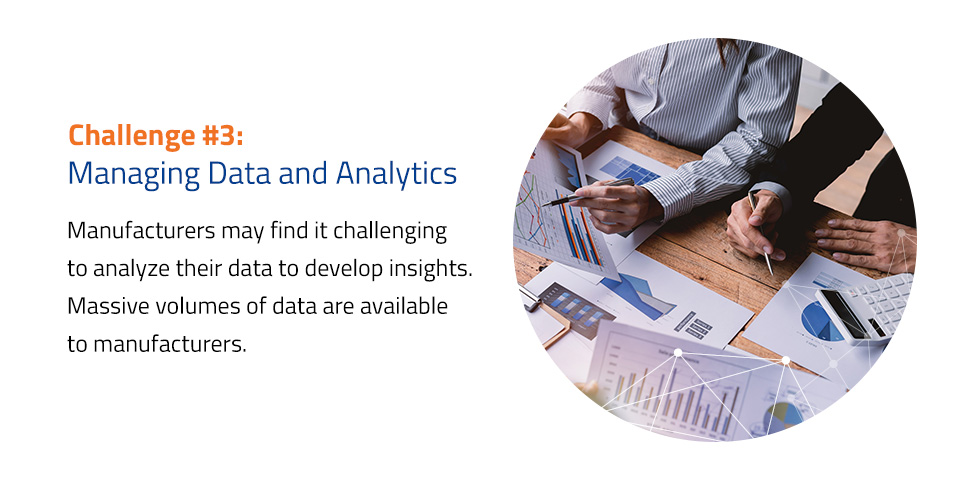
Challenge #3: Managing Data and Analytics

Manufacturers may find it challenging to analyze their data to develop insights. Today’s technology platforms constantly generate data on supply networks, manufacturing lines and employee performances. Massive volumes of data are available to manufacturers.

Forecasting product demand and inventory management are two major areas where data analysis may be beneficial. External factors influence product demand, such as currency exchange rates, current market trends and supply chain pricing. To maximize manufacturing, data from various sources must be readily available, accurately collected and stored and well managed.

Companies can start overcoming these IT challenges in manufacturing by following these strategies:

  • Implement a DMS: Implementing a robust data management system (DMS) will help the manufacturer’s overall data accessibility and management. Manufacturers can define their infrastructure strategy, choose their data collection method and keep everything organized and optimized.
  • Data analysis training: Training personnel on data analysis is a valuable skill that can benefit the firm. Data analytics is a science and an art. It’s a complex field where some businesses need to hire specialists. Providing data analysis training to employees may help them better understand the intricacies of data.
  • Partnering with experts: Partnering with data experts helps manufacturers analyze, design, facilitate and complete duties associated with developing their data and information architecture. Experts provide reusable standards, rules, design patterns and settings to evolve data and information infrastructure across whole companies.

Challenge #4: Maintaining Uptime

This is an age-old manufacturing IT dilemma. Downtime, particularly unscheduled downtime, is detrimental to profits. The average hourly cost of server downtime worldwide was between $301,000 and $400,000 in 2020. There’s no doubt that unexpected downtime is expensive. It remains an ongoing and severe problem regardless of the precise cost per industry. IT system reliability is critical to avoiding downtime.

Try to implement a few other strategies to handle these manufacturing IT challenges:

  • Perform routine maintenance: Maintain your systems regularly to keep them operating at their best. This involves scheduling scans and deploying security fixes in your IT infrastructure to address software vulnerabilities before hacks occur.
  • Plan ahead: Prepare a plan and a timetable for system upgrades to keep hardware and software up to date.
  • Test backups: Develop backup and restoration procedures with the appropriate resources and test them regularly to ensure flawless business continuity. Testing your backups can provide you peace of mind that you can restore your data in an emergency.

Challenge #5: Staying Competitive in a Rapidly Changing Market

Being in the manufacturing industry today requires companies to be agile to stay competitive in a rapidly changing market due to the growing rate of technological development. Manufacturers must be able to react to shifting market needs and technological advancements swiftly. This is challenging since conventional manufacturing lines were frequently highly tailored for specific applications.

Integrating older systems with cutting-edge applications and platforms to increase production quality and efficiency can be challenging. It can also be difficult to develop production processes that can adjust fast as data changes.

Some strategies to overcome these challenges include the following:

  • Stay up-to-date: Staying updated with the most recent market trends and adopting new technology can provide a competitive advantage over the competition. A business owner who can successfully understand and apply the most recent technological advancements can stay ahead of the competition.
  • Invest in research and development: To stay up-to-date with the latest news, trends and developments, manufacturers must invest in proper research and development of new technological advancements.
  • Remain adaptable: From research and planning comes action. Manufacturers must remain agile and adaptable to changes in the industry — specifically if they can benefit from it. Change is unavoidable.

Outsource Your IT Support With Morefield

Position your manufacturing firm ahead of its competition and implement strategies that overcome these top five IT challenges. Businesses may only function with proper IT assistance, making the selection of IT service providers critical. Outsourcing your IT support may be more cost-effective than building an in-house IT team from scratch.

Morefield is a leading provider of corporate technology solutions. We assist enterprises in integrating and improving their technologies, streamlining their corporate technology with unmatched customer care. Our professionals will build and maintain every aspect of your network for integrated solutions that maximize productivity in your business.

Contact us online, and we’ll respond to your request promptly.
CFO & Cybersecurity Experts to Speak at PICPA 2023 Conference

Join Morefield at the Pennsylvania Institute Of Certified Public Accountants 2023 Conference

We are honored to have our Chief Financial Officer (CFO), LeeAnne Stump, and Virtual Chief Information Security Officer (vCISO), Allan Jacks, participate in this year’s conference discussing being a strategic leader and cybersecurity in the financial industry.

LeeAnne will team-up with Elizabeth Wilson, Chief Financial Officer at Valley National Financial Advisors to discuss the role of CFO: The Strategic Leader and Allan will be leading a session on Cybersecurity: What You Really Need and Why.


Thursday, March 23, 2023


12:25 p.m. – Cybersecurity: What You Really Need and Why

Allan Jacks, Virtual Chief Information Security Officer (vCISO), Morefield

  • Cybersecurity: past and future
  • Discuss a three-pronged approach to cybersecurity: technology, processes, and people
  • Dive into the motivations for cybersecurity; compliance requirements, insurance requirements, privacy requirements (H.R. 8152 (ADPPA), PA HB 2202, PA HB 1126, PA HB 2257) and due care vs. due diligence

3:10 p.m. – CFO: The Strategic Leader

LeeAnne Stump, Chief Financial Officer, Morefield & Elizabeth Wilson, Chief Financial Officer, Valley National Financial Advisors

  • Collaborative strategic alliances – Create, develop, and nurture both internal and external relationships
  • Self awareness – Recognize that it takes a village
  • Knowledge sharing – Get everyone to “think like an accountant”
  • Importance of data – Drive effective decision making
  • Reality check – Viability, value, and resources
  • Stakeholder communication – Know your audience
  • 4 orientations of the CFO role – responder, challenger, architect, transformer

Learn more at – https://www.picpa.org/attend-cpe-events/conferences/picpa-cfos-and-controllers-conference

What Is Cyber Liability Insurance & What It Means For You

Cybersecurity risks relate to the loss of confidentiality, integrity, and availability of information, data, or the systems that are required to support organizational operations. To minimize these risks, there are four paths to treating Cybersecurity risks.

  • Mitigated:  Reduce the vulnerability or associated threat by remediation. Apply the required patch, change the default password, or whatever is required to reduce the vulnerability or associated threat. 
  • Avoided: Take the required measures to eliminate the risk from occurring. An example would be installing an anti-phishing solution to eliminate phishing messages getting to end users.
  • Accept: Acceptance of the risk is when you understand that the cost of mitigation outweighs the advantages of transferring, mitigating, or avoiding the risk.
  • Transfer: Risk is transferred to a third party through a contract such as Cyber Liability Insurance. You pay an insurance company for Cyber Risk Liability Insurance that will pay for losses in the event of a business disruption. Travelers detail Cyber Liability Insurance as “an insurance policy that provides businesses with a combination of coverage options to help protect the company from data breaches and other cyber security issues.” It also provides “access tools and resources to manage and mitigate cyber risk – pre-breach and post-breach”

What is Cyber Insurance?

Cyber Insurance is designed to cover consumers of technology services or products from the financial experience in the event of a breach of sensitive data (Personal Identifiable Information, Protected health information, or personal financial information). Cyber liability coverage includes legal costs, forensics and security consulting, identity theft protection services, data restoration services, and any settlement with victims.

Insurance Requirements

Before businesses can transfer this risk to the Insurance company, they are required to have certain controls to protect and limit their exposure. The level of controls the company has implemented is ascertained in a Cyber Liability Questionnaire which must be filled out by the organization. Questions may include the following: 

Do you have a process in place to regularly download and install patches?

Do you have an incident response plan to respond to a network intrusion?

Is Multi-factor authentication for remote access to email and other systems and programs containing private or sensitive data in bulk implemented?

To further limit risks insurers may not cover any acts sponsored by nation-states or in conjunction with a traditional physical war. Two recent incidents believed to be caused by nation-states are the Wanna-Cry incident and the Solar Winds cyberattack. Wanna-Cry affected companies throughout the world in May of 2017 for 4 days and is estimated to have caused losses in the billions, while the Solar Winds cyberattack is estimated to have cost around 90 million which under these new requirements would not have been covered.

Controls

The Cyber Insurance Underwriters put together a list of controls that are aligned with traffic light colors. Red is the minimum standard required by organizations to implement, Amber being requirements above the minimum and are more attractive to underwriters, while green requirements are the most attractive to underwriters.

Red requirements:

  • Multifactor authentication (MFA) for: 
    • Employee email. 
    • Remote access for users to access sensitive data. 
    • Privileged accounts / privileged access. These include domain administrators, Chief Financial Officer, Human Resources, and any other individual that access sensitive data. 
  • Offsite (Preferably offline) backups of critical data.
  • Endpoint detection and response (EDR) solution on all managed endpoints.
  • Create an audited written plan for patching critical software and hardware.
  • Employee cybersecurity training, including phishing simulations.

Amber requirements:

  • Strong email filtering tools to limit risky emails being delivered.
  • Privileged access account security measures.
  • End-of-life unsupported software and hardware segregated from the network with plans to decommission.
  • Cyber-incident disaster recovery/incident response plan, and segmentation of your computer network by operation function, data classification, and operational risk.
  • Local admin accounts are disabled on endpoints.

Green requirements:

  • Organizational Password management application implemented.
  • Detailed asset footprint of service accounts with domain credentials, services, and monitoring of these accounts.
  • Security information and event monitoring implemented (SIEM).
  • Data loss prevention tools implemented.
  • Follow an information security framework such as NIST Cyber Security Framework, CIS, or other common cybersecurity frameworks.
  • Maintain a 24/7 Security Operations Center (SOC) – internal or external.

What This Means for You

We encourage organizations to put in place controls to protect critical data and systems and align them to organizational accepted risk. Obtain Cybersecurity Insurance to transfer these remaining risks and limit the organizational impact. Insurance is not an alternative to implementing good compliance measures, but for many organizations is the motivating factor for implementing these measures.

Contact Morefield to speak with our team of cybersecurity experts or contact us with any help your organization is facing navigating these fragile waters.

A Guide to Cybersecurity Asset Management

The CIS controls version 8.0 lists Inventory /Control of Enterprise Assets and Inventory/Control of Software Assets as its first and second control.

The first control details “actively [managing] (inventory, track, and correct) all enterprise assets (end-user devices, including portable and mobile; network devices; non-computing / Internet of things (IoT) devices; and servers) connected to the infrastructure physically, virtually, remotely, and those within cloud environments, to accurately know the totality of [the] assets that need to be monitored and protected within the enterprise.” 

The second control details “actively [managing] (inventory, track, and correct) all software (operating systems and applications) on the network so that only authorized software is installed and can [be] executed”. Additionally, it notes ‘that unauthorized and unmanaged software is found and prevented from installation or execution.” 

Importance of Asset Management to Cybersecurity

If you don’t know what you have, where your important data is housed, how it is backed up, and whom the users are accessing it, then it makes it challenging to protect it. It would be like an Airline not knowing where its aircraft were when they need to be maintained next, or its capacity for how much fuel it carries and how many passengers can fly in it. Asset management in the Cybersecurity framework is critical to mitigating risks within an organization.

Asset discovery and management are the foundation of a strong IT program. Asset management is about understanding all your assets and how they interoperate to reduce your cybersecurity exposure.

How Frequently Should I Check My Technology Assets?

The collection of Inventory should not be a once-a-year update of a spreadsheet, but an ongoing collection of assets and a monthly review to ensure they align with business policies. One recommendation is to capture alerts for any new assets that are discovered. It is recommended that alerts are captured for any new assets discovered. This allows for actions to be taken to evaluate if the asset is a security risk or if it poses a threat to the organization. 

Some actions that can be taken include checking to see if it is required for the asset to be backed up, checking if the asset has the correct software loaded (Antivirus, Malware) and if the software is the approved version. Having continuous discovery of assets including classification and assessments will provide complete visibility into your environment and information on your attack surface.

Incorporating the software and hardware in an inventory list will allow you to stay current with compliance and governance requirements. It does this by alerting you on issues and ensuring you have a single source of truth.

Asset Management Resources

NIST Recommendations

NIST released detailed recommendations for IT Asset Management (NIST SP 11800-5b). It is a 237-page document that goes into detail about recommendations for implementing Asset Management in an Enterprise (including how-to guides). Although this may be more information than you require, it provides some great reference material.

Software Scanners

There are also software scanners that can scan your network and check logs for new additions to the network. It then probes devices for information on a regular basis. Implementing an automated system to manage your assets will minimize the time required to manually update the Asset Register. This will also ensure it is current and up to date when needed to be referenced for security purposes. Some even understand the relationships between assets and how they operate within your business. They also look for anomalies that are outside the normal interaction. A good example of this is a server that has a sensitive database on it that is normally accessed by three users. If a new machine comes online and accesses this database, an alert may be raised.

How to Protect My Assets?

We recommend to our clients that they have an asset and software inventory in place and include cloud-based software and virtual machines. Even if you start with something simple and build upon it. This will lay the groundwork for something that will be referenced often, and its value will be realized through the implementation of more advanced cybersecurity controls.

Need help with your asset management? Contact our team of experts today!


References

IT Asset Management (nist.gov)
CIS Critical Security Controls Version 8 (cisecurity.org)

Microsoft to Disable Basic Authentication for Exchange Online on October 1, 2022

Starting October 1st, Microsoft will start to randomly select tenants and disable Basic authentication for Exchange Online.

Basic authentication has been used by client applications for many years to connect to servers, services, and endpoints. Basic authentication sends a username and a password with every request and does not require TLS. This can leave user credentials vulnerable to interception by attackers. Furthermore, the enforcement of multifactor authentication (MFA) is not simple or in some cases, possible when Basic authentication remains enabled. Basic authentication is an outdated industry standard and there are more effective user authentication alternatives including security strategies such as Zero Trust (Never Trust, Always Verify).

Microsoft is making this change to switch customers to Modern authentication. Modern authentication is an umbrella term for a combination of authentication and authorization methods between a client and a server. It enables authentication features like multi-factor authentication (MFA), smart cards, certificate-based authentication (CBA), and third-party Security Assertion Markup Language (SAML) identity providers.

Disabling Basic Authentication will impact:

  • MAPI, RPC
  • Offline Address Book (OAB)
  • Exchange Web Services (EWS)
  • POP
  • IMAP
  • Exchange ActiveSync (EAS)
  • Remote PowerShell


**Microsoft will NOT be disabling or changing any settings for SMTP AUTH.**

If you have removed your dependency on basic authentication, this will not affect your tenant or users.

Additional Resources:
Office 365 Reports: It’s Time to Disable Basic Authentication in Office 365
Microsoft: Basic Authentication Deprecation in Exchange Online – September 2022 Update
Microsoft Ignite: Disable Basic authentication in Exchange Online


Morefield is here to help you make smart technology decisions and we encourage you to contact us if you have any questions or concerns.

For additional information on our Managed Service Agreements and proactive IT support, please give us a call at 717-761-6170 or email us.

Sign Up for Our Newsletter